Dietary flags that roll up from every ingredient
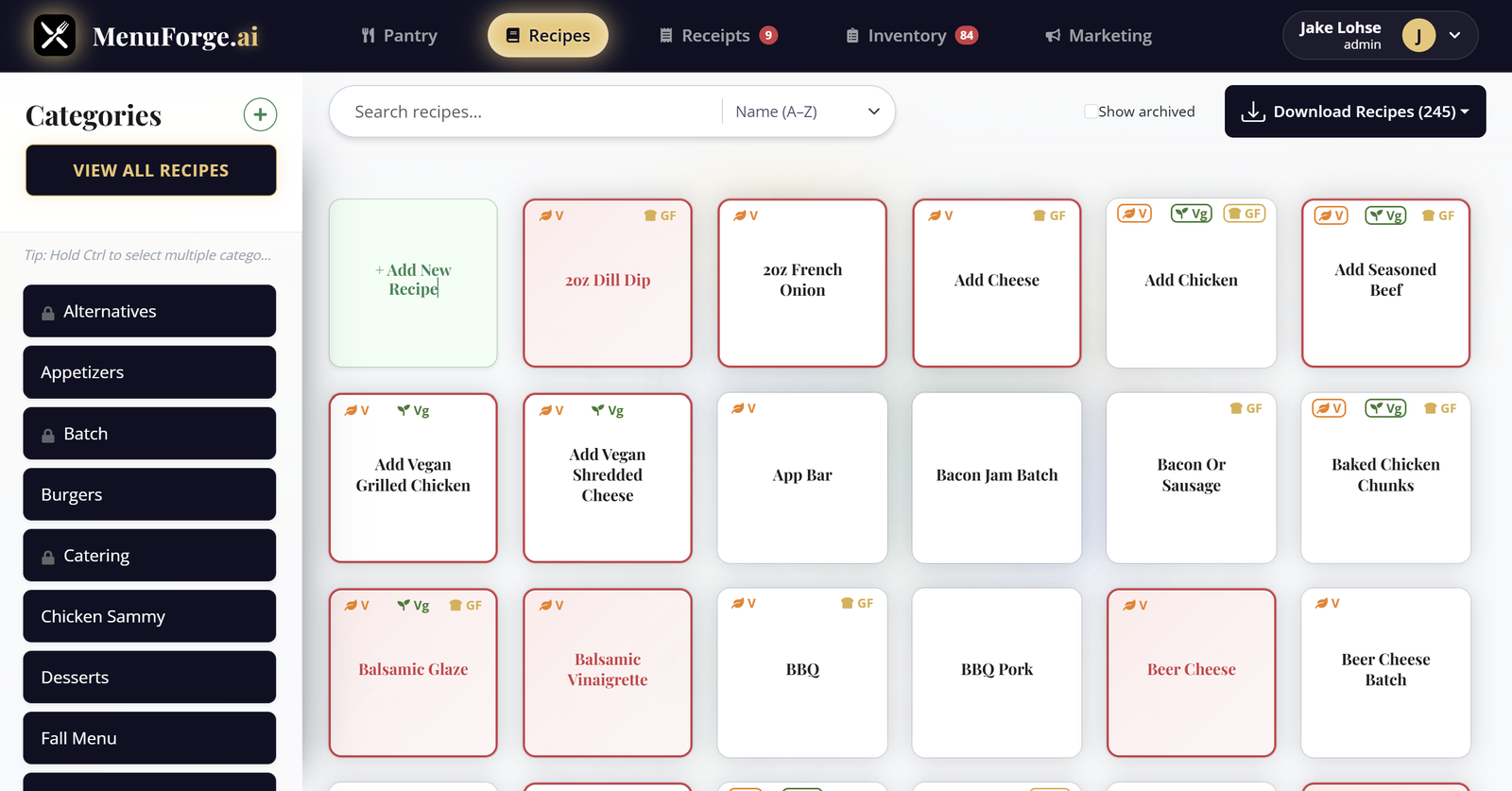
Mark each pantry ingredient as vegetarian, vegan, or gluten-free once. MenuForge rolls those flags up through every batch and sub-recipe, so the burger knows the house seasoning has a gluten problem three layers down. Available on every plan.
How the flags work
- Three flags: vegetarian, vegan, and gluten-free.
- Yes, no, or substitute. An ingredient can be marked as meeting the flag, not meeting it, or OK with a substitution (for example, a gluten-free bun swap).
- Roll-up through batches. A recipe only shows a flag if every ingredient and every nested batch qualifies.
- Manual override. If you know better than the math (a dish is prepared separately, for example), override the flag on the recipe.
- Stays current. Change an ingredient’s flag and every recipe that uses it updates.
What it does not cover yet
MenuForge does not track the full list of major allergens (milk, eggs, fish, shellfish, tree nuts, peanuts, wheat, soy, sesame), and it does not print nutrition labels. If you need certified allergen or nutrition labels, use a dedicated nutrition tool alongside MenuForge. The flags above are a kitchen reference, and your team should still confirm allergens with the supplier spec sheet.
Why servers stop guessing
When the flag lives on the recipe, the answer to “is this gluten-free?” is the same on every shift. New hires open the recipe and see prep, cost, and dietary flags in one place.
Questions
Which dietary flags does MenuForge track?
Vegetarian, vegan, and gluten-free, each with a substitute option and a manual override on the recipe.
Does MenuForge track all major allergens?
Not yet. It tracks vegetarian, vegan, and gluten-free flags. It does not track the full major-allergen list or print nutrition labels.
Cost your menu with real pack prices
A fully loaded 7-day free trial of AI+. No credit card. 10 receipts and 5 AI recipes included.
Start 7-day free trial